Make Lights Smarter With mmWave Presence Sensors and Matter
Your lights shouldn’t switch off while you’re reading. mmWave presence sensors detect micro‑movements and, with Matter, keep automations fast, private, and reliable. Here’s how to set it up right.
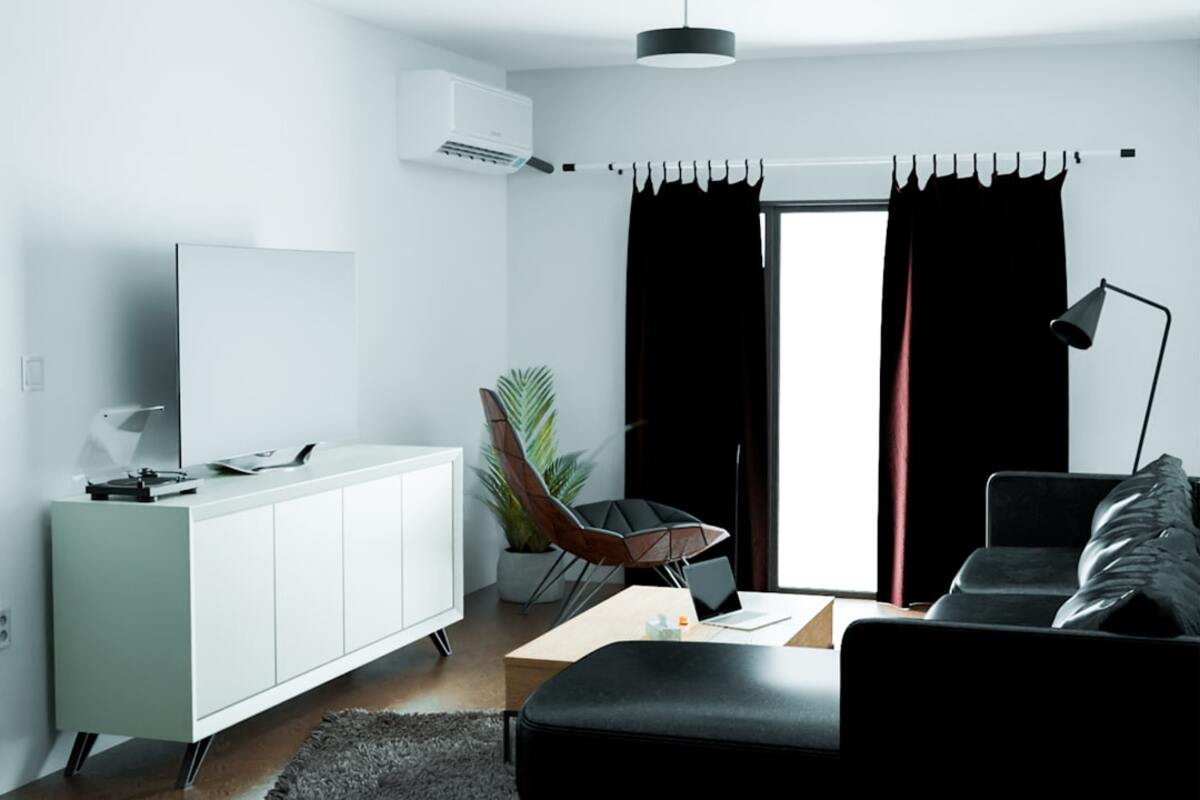
- mmWave senses stillness, so lights and HVAC react to real presence—not just motion.
- Matter unifies devices for fast, private automations across Apple, Google, and more.
- Correct placement and tuning beat 90% of false triggers and ghost detections.
Every smart home enthusiast has lived this scene: you’re deep into a book or focused on your laptop, and—click—the room goes dark because your motion sensor “thinks” you left. Motion is not presence. The biggest shift in 2025 is the rise of millimeter-wave (mmWave) presence sensors that can detect subtle human micro‑movements and breathing. Paired with the Matter standard, they erase the old compromises: faster, more private, and cross‑platform automations that finally feel invisible.
If you’ve been curious about upgrading from simple motion sensors or camera‑based people detection, this guide walks you through what mmWave presence actually is, how to set it up with Matter, where to place your sensor, and a handful of automations you can copy for lighting, HVAC, and more.
mmWave presence vs motion: what changes
Traditional PIR (passive infrared) motion sensors detect heat changes. They’re cheap and fast, but they can’t detect stillness—so your lights time out while you’re typing quietly. Cameras can detect people but raise privacy concerns and often require cloud processing. mmWave takes a different path: it emits low‑power radio waves and interprets the reflected signal to identify micro‑movements such as breathing or slight shifts in posture. The result is highly accurate occupancy with fewer false offs.
Think of it this way: PIR is great for “did something move,” mmWave is great for “is someone here now.” That shift unlocks better lighting, smarter HVAC, and more resilient security routines—without pointing cameras at private spaces.
| Sensor Type | Detects Stillness | Privacy | Latency | False-Off Risk | Typical Use |
|---|---|---|---|---|---|
| PIR Motion | No | High (no images) | Low | High when sitting | Hallways, bathrooms |
| Camera People Detection | Yes (via vision) | Varies (image data) | Medium (processing) | Low | Entrances, outdoors |
| mmWave Presence | Yes (micro‑movements) | High (no images) | Low | Low | Living rooms, offices, bedrooms |
Because mmWave senses motion on a micro scale, you gain a wide “comfort window” where lights stay on while you read or watch a movie. It’s also resilient in low light, fog, or when a heater confuses PIR sensors. And unlike cameras, mmWave presence doesn’t capture faces or scenes—just the radio reflection patterns of a person’s presence—so it’s a strong choice for bedrooms and home offices.
Where Matter comes in: instead of binding you to one vendor’s app or cloud, Matter lets your presence sensor report occupancy to Apple Home, Google Home, SmartThings, and other controllers locally. Many mmWave sensors are mains‑powered and communicate via Wi‑Fi or Ethernet; native Matter models are growing fast, and bridge‑based options can expose occupancy over Matter even when the sensor itself isn’t Matter‑native. Either way, you benefit from local, fast, and interoperable automations.

Setup: from sensor box to working Matter automations
There are two common paths to get mmWave presence data into your smart home system. The first is a native Matter sensor you can pair directly with your platform. The second is a vendor hub or software bridge that onboards the sensor in the vendor app, then shares an occupancy “capability” to your home controller via Matter. Both work well in practice, provided you place and tune the sensor properly.
Before you start, verify you have: a mmWave presence sensor (mains‑powered is common due to the power draw of the radio), a router or hub compatible with your sensor (Thread Border Router if using Thread, or reliable Wi‑Fi), and a controller that supports Matter (Apple Home with a Home Hub, Google Home with a Nest Hub/Router, SmartThings, or a local controller such as Home Assistant with a Matter server). If your sensor relies on a vendor hub, be sure that hub supports exposing occupancy through Matter.
- Unbox and power the sensor: Place it temporarily on a shelf or tripod at about chest height for testing. Mains power is typical for mmWave.
- Vendor onboarding: If your sensor is not Matter‑native, add it to the vendor app first. Complete any firmware updates and calibration steps.
- Expose to Matter: In the vendor app or bridge, look for the ‘Share to Matter’ or ‘Add to other ecosystems’ option. Scan the QR code in your home controller (Apple Home, Google Home, SmartThings, etc.).
- Name it clearly: Use a room-centric label, like ‘Office Presence’. Clean names make automations readable.
- Baseline test: Watch the occupancy tile. Sit still for two minutes, then stand and move. Confirm that presence stays ‘Occupied’ while you’re still, and switches to ‘Vacant’ within your configured timeout.
Placement matters more than you might expect. mmWave can “see” through thin materials and be affected by reflections. Metal surfaces, glass walls, moving curtains, and ceiling fans can all perturb the signal. You want clear coverage of the seating or desk zones where stillness happens, while minimizing exposure to doorways or adjacent rooms.
For wide rooms, ceiling mount or high wall placement aimed slightly downward works best. In compact offices, a low shelf facing the desk provides precise coverage without catching hallway movement. Many modern mmWave sensors offer multi‑zone mapping: you draw virtual zones (sofa, desk, bed) and define automations per zone. This is a killer feature—lights at the desk can stay bright while the rest of the room dims during movie night.
- Keep the sensor 1–4 meters from the main seating/desk area; too close exaggerates micro‑movement, too far reduces sensitivity.
- Avoid direct alignment with windows or door gaps to lower cross‑room detection.
- If your device supports zone mapping, start with large zones and refine after a day of use.
Timeouts are the next dial. PIR habits die hard; you may be used to 2‑ or 5‑minute timeouts to mask false offs. With mmWave, you can confidently reduce or even remove artificial minimums and rely on true vacancy to trigger offs. A typical profile looks like: lights off immediately when vacant at night, dim after 2 minutes when vacant in the day, HVAC eco after 10–20 minutes of vacancy.
Finally, make sure your home controller actually uses local Matter paths. In most apps, once the device is onboarded via Matter, automations run locally without cloud dependence. That translates to snappier reactions and fewer surprises when your internet hiccups.
Automations, tuning, and troubleshooting
Once presence is flowing into your home controller, it’s time to put it to work. Start with “annoyance killers”—the small upgrades that remove friction—and layer in energy savers and comfort scenes next.
Lighting recipes you can copy
Keep-On When Seated: If ‘Office Presence’ is Occupied, maintain ‘Desk Light’ at 60% and ‘Overhead’ at 30%. If Vacant for 2 minutes, fade both to 0% over 10 seconds. The fade feels premium and avoids abrupt darkness.
Movie Mode Zoning: When ‘Living Room Presence: Sofa Zone’ becomes Occupied after 7 p.m., set ‘Bias Lights’ to 20% warm white, dim ‘Ceiling Lights’ to 10%, and disable hallway motion‑triggered brighten events for 2 hours. Presence at the sofa becomes the context that shapes the whole room.
Night Pathway: If bedroom and hallway are Vacant and bedroom detects new presence between midnight and 5 a.m., bring hallway lights to 5% for 3 minutes. mmWave’s sensitivity catches that quiet rise without blasting your eyes.
HVAC and comfort recipes
Eco After Vacancy: If living room is Vacant for 15 minutes, set thermostat to Eco or widen the setpoint by 2°C. When Occupied returns, restore the comfort setpoint. This avoids ping‑ponging the HVAC with momentary absence.
Fan On Only When It Matters: If presence is Occupied and temperature exceeds your threshold, enable ceiling fan to speed 2; if Vacant for 5 minutes, turn it off. Ceiling fans are comfort multipliers and cost pennies to run; automate smartly so they’re never left spinning in an empty room.
Air Quality Awareness: Pair presence with a CO₂ sensor. If CO₂ > 1000 ppm and presence is Occupied, boost ventilation or crack the smart window actuator if available. If Vacant, delay boosts unless thresholds are extreme. Presence makes air improvements timely and quiet.
Safety and security recipes
Unexpected Presence: If all residents are Away and a mmWave sensor flags Occupied for more than 30 seconds, escalate an alert and switch indoor cameras to record. Using mmWave as a privacy‑first sentinel avoids always‑on cameras when you’re home.
Occupied But Silent: In nurseries, use presence + noise level. If presence remains Occupied with very low noise for 20 minutes around nap time, trigger a ‘Do Not Disturb’ routine that tempers notifications and sets a soft status light outside the room.
Tuning tips
Every room is different. Use these dials to make your setup feel invisible in daily life:
Sensitivity and Range: If you see ‘ghost’ occupancy, reduce sensitivity or narrow the detection distance. Many sensors provide separate near/far sliders—pull back the far field to avoid hallway bleed.
Presence Timeout: This defines how quickly vacancy is reported after the last micro‑movement. Start with 30–60 seconds for lights, 10–20 minutes for HVAC.
Zone Boundaries: In multi‑zone models, overlap zones slightly around seating areas to avoid flicker when you lean. Split zones aggressively near doorways to prevent adjacent‑room capture.
Multi‑Sensor Logic: Combine mmWave with a classic PIR or door contact when you want extra confidence. For example, consider a room occupied if mmWave is Occupied OR the door is closed and a PIR fired in the last 5 minutes. For security, you might require an AND condition before escalating alerts.
Troubleshooting
Ghost Occupancy: Fans, moving curtains, and noisy HVAC vents can jitter the signal. Re‑aim the sensor away from these dynamics, lower sensitivity, or place acoustic dampening near vibrating ducts.
Cross‑Room Detection: mmWave can pass through drywall. Face the sensor inward and reduce far‑field detection. If the device supports it, draw exclusion zones along the wall facing the hallway.
Slow Automations: Verify your platform shows the device as a Matter accessory and that your home hub is online locally. Remove redundant cloud automations that duplicate logic and cause race conditions.
Unreliable Pairing: If onboarding to Matter stalls, reset the bridge or sensor, update firmware, and ensure your phone, hub, and bridge are on the same network segment. Some controllers require you to add the device to a room before it can be referenced in automations.
Not for presence. mmWave is excellent at knowing someone is there, even if they are still. Cameras remain useful for visual verification and security evidence, but you can keep them off when home and rely on mmWave for everyday automations.
Not for presence. mmWave is excellent at knowing someone is there, even if they are still. Cameras remain useful for visual verification and security evidence, but you can keep them off when home and rely on mmWave for everyday automations.
Most mmWave presence sensors are mains‑powered because the radio and on‑device processing draw more energy than PIR. There are emerging low‑power designs, but expect shorter battery life or reduced range. If you can, prefer mains power for reliability.
Most mmWave presence sensors are mains‑powered because the radio and on‑device processing draw more energy than PIR. There are emerging low‑power designs, but expect shorter battery life or reduced range. If you can, prefer mains power for reliability.
Use a compatible hub or software bridge that exposes occupancy via Matter to your controller. Many vendor ecosystems now offer a ‘Share to Matter’ flow. You’ll still get local, fast automations and the flexibility to mix ecosystems without lock‑in.
Use a compatible hub or software bridge that exposes occupancy via Matter to your controller. Many vendor ecosystems now offer a ‘Share to Matter’ flow. You’ll still get local, fast automations and the flexibility to mix ecosystems without lock‑in.
A final note on privacy and reliability: mmWave presence data is compact and non‑visual, meaning it doesn’t identify who you are—only that someone is here. When transported over Matter locally, it avoids round‑trips to the cloud and cuts failure points. The upshot is a smoother home: lights that feel anticipatory, climate that adapts to rooms you truly use, and fewer sensors chattering in your notifications. With careful placement, clear naming, and a couple of well‑chosen automations, mmWave presence is one of the highest‑impact upgrades you can make this year.